




Ask the AI Tutor
Need help with Processing Text and Images 01? Ask our AI Tutor!
AI Tutor - Lucy
Connecting with Tutor...
Please wait while we establish connection
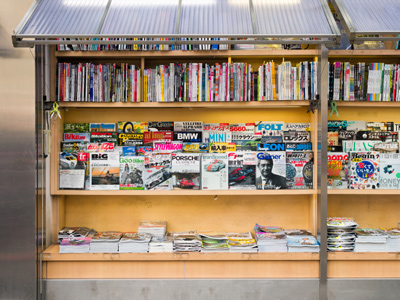
Many publications have rules about layout called house style.
Processing Text and Images 01
Text and images are edited in different ways. Learn how formatting, resizing, and saving choices affect quality, file size, and how your work looks on screen and in print.
1 .
Which is not a feature of a magazine's layout style?
Columns
Font style
Headings
Price
This usually occurs within the layout of the front cover
2 .
Many publications have rules about layout called what?
Home style
House style
Layout style
Publication style
Writers and contributors need to follow these very carefully otherwise the editor will return their work and they will have to alter it
3 .
House style rules exist .......
because the owner is a control freak
because there is a law governing publications
in order to attract buyers
in order to maintain a consistent identifiable look
This is called branding and is partly used to appeal to a specific audience e.g. teenagers would find most adult magazine layouts 'boring'!
4 .
The most suitable software for writing magazine text is .......
a desktop publishing suite (DTP)
a graphics suite
a speech synthesis application
a word processor application
It is important to use the right software for the task. The magazine layout is usually done by a sub-editor who receives the articles from writers who have used word processing software. The sub-editor copies the text, adds in the images and formats the writers' work using desktop publishing software
5 .
Selecting text in a document for editing involves .......
cutting and pasting the text
dragging the text
emboldening the text
highlighting the text
If you have highlighted text, it is replaced by whatever you type next or you can format it
6 .
How can you highlight a single word with a mouse?
Place the mouse cursor over the word and click once
Place the mouse cursor over the word and click twice
Place the mouse cursor over the word and click three times
You cannot highlight a single word just by clicking
It's a very useful shortcut
7 .
How can you highlight a group of words with a mouse?
Place the cursor at the end of the group, right click and drag
Place the cursor at the end of the group, right click twice
Place the cursor at the start of the group and right click
Place the cursor at the start of the group, left click and drag
Click and drag means that you can highlight sections of text precisely
8 .
Which keyboard shortcut will cut a highlighted word?
Ctrl A
Ctrl C
Ctrl Q
Ctrl X
If you decide that what you have changed is not as good as what was there before, Ctrl Z will take you back
9 .
Which keyboard shortcut will copy a highlighted word?
Ctrl C
Ctrl V
Ctrl W
Ctrl Z
This works in most windows programs and saves you opening a menu and clicking on the option to copy
10 .
What is a font?
A character style
A page layout
A page style
A type of fountain
Using too many different fonts on a page is a disaster - it looks awful and is harder to read



**Unlimited Quizzes Await You! 🚀**
Hey there, quiz champ! 🌟 You've already tackled today's free questions.
Ready for more?
Ready for more?
🔓 Unlock UNLIMITED Quizzes and challenge yourself every day. But that's
not all...
not all...
🔥 As a Subscriber you can join our thrilling "Daily Streak" against other
quizzers. Try to win a coveted spot on our Hall of Fame Page.
quizzers. Try to win a coveted spot on our Hall of Fame Page.
Don't miss out! Join us now and keep the fun rolling. 🎉
**Unlimited Quizzes Await You! 🚀**
Hey there, quiz champ! 🌟 You've already tackled today's free questions. Ready for more?
🔓 Unlock UNLIMITED Quizzes and challenge yourself every day. But that's not all...
🔥 As a Subscriber you can join our thrilling "Daily Streak" against other quizzers. Try to win a coveted spot on our Hall of Fame Page.
Don't miss out! Join us now and keep the fun rolling. 🎉




© Copyright 2016-2026 - Education Quizzes
Work Innovate Ltd - Design | Development |
Marketing
