




Ask the AI Tutor
Need help with Digital Devices? Ask our AI Tutor!
AI Tutor - Lucy
Connecting with Tutor...
Please wait while we establish connection
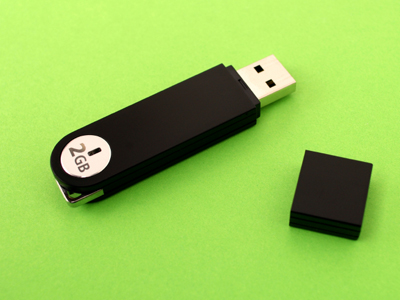
USB flash drives are used for data storage.
Digital Devices
Explore digital devices you use every day. Learn what they do, how they take input and give output, and why some devices are made for different jobs.
1 .
Which of these allows you to 'input' sound into a computer or other digital device?
Headphones / earphones
Speakers
Graphics application
Microphone
'Input' means 'to enter data'
2 .
Which digital device would you use to create a 'hard copy' of a document or other file?
A printer
A webcam
A microphone
A digital scanner
'Hard copy' is often used as another way of saying 'printout'
3 .
Which of these can capture a moving image?
A camcorder
A scanner
An MP3
An interactive whiteboard
Cameras can catch still images but camcorders can capture moving ones
4 .
For which of these could a scanner be used?
To create a digital copy of a drawing
To take a photo of someone
To send an e-mail
To record a piece of music
Scanners are used to make digital versions of real life pictures, photos or text
5 .
If you wanted to magnify a sugar crystal and display a detailed image of it on the interactive whiteboard, which of these could you use?
A digital camera
A scanner
A digital microscope
A printer
Although a camera could slightly magnify an image by zooming, it could not show a detailed image of a sugar crystal
6 .
Which of these mobile devices are used for data storage?
Printers
Monitor
Scanners
USB flash drives
USB stands for Universal Serial Bus and it is the standard connector for computers
7 .
You would like to print a document and you have clicked 'print', but nothing has happened. What should you NOT do?
Check that the printer has paper
Keep pressing 'print' until the printer works
Check that the printer is not out of ink
See if you've sent the document to the correct printer
Repeatedly pressing the 'print' button doesn't fix the problem, but does waste ink when the printer is working again
8 .
Which of these is NOT an 'output' device?
Monitor
Printer
Computer keyboard
Speakers
A keyboard is an input device - you use it to put information into a computer
9 .
What is a memory card?
A computer server's data storage system
A data storage device often used for large files
The memory located in a printer
A birthday card which you keep because it reminds you of good memories
Mobile phones, digital cameras, video game consoles, MP3s and laptops use memory cards to store data
10 .
Which of these does an interactive whiteboard or touchscreen device allow?
Input only
Output only
Input and output
Neither input nor output
You can enter data into, and display data on, a touchscreen device or interactive whiteboard



**Unlimited Quizzes Await You! 🚀**
Hey there, quiz champ! 🌟 You've already tackled today's free questions.
Ready for more?
Ready for more?
🔓 Unlock UNLIMITED Quizzes and challenge yourself every day. But that's
not all...
not all...
🔥 As a Subscriber you can join our thrilling "Daily Streak" against other
quizzers. Try to win a coveted spot on our Hall of Fame Page.
quizzers. Try to win a coveted spot on our Hall of Fame Page.
Don't miss out! Join us now and keep the fun rolling. 🎉
**Unlimited Quizzes Await You! 🚀**
Hey there, quiz champ! 🌟 You've already tackled today's free questions. Ready for more?
🔓 Unlock UNLIMITED Quizzes and challenge yourself every day. But that's not all...
🔥 As a Subscriber you can join our thrilling "Daily Streak" against other quizzers. Try to win a coveted spot on our Hall of Fame Page.
Don't miss out! Join us now and keep the fun rolling. 🎉




© Copyright 2016-2026 - Education Quizzes
Work Innovate Ltd - Design | Development |
Marketing
