




Ask the AI Tutor
Need help with Graphics? Ask our AI Tutor!
AI Tutor - Lucy
Connecting with Tutor...
Please wait while we establish connection
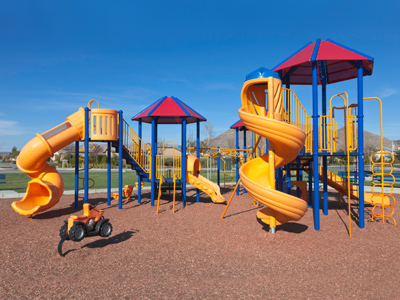
Graphical modelling would be used for a plan of a new playground.
Graphics
Learn how computer graphics are made and used. Discover pixels, simple editing tools, and how images can look different depending on size, detail, and purpose.
1 .
A 'fill' tool can fill a shape with what?
With colour only
With colour, texture, patterns or pictures
With texture and colour only
None of the above
Computers make tasks a lot easier - imagine having to colour all the shapes in by hand, it would take much longer
2 .
What does it mean to 'draw' using a software program?
Typing the word 'draw' into a word file
Naming your file 'Draw'
Inserting a photo or clip art into a document
Using various tools to create objects, such as shapes
An object which has been drawn can be edited, deleted, copied or moved like any other inserted objects
3 .
Which of these tools would you find in a paint package (computer program)?
Pencil sharpener
Rubber / eraser
Compass
Screwdriver
You use the eraser just as you would in real life, to erase your mistakes
4 .
Using a software package to create a 2D visual model of something you might create in 3D is called graphical modelling. Graphical modelling would be used for which of the following?
A plan for a new playground
A newspaper article
A poster
A database
The plan is a two-dimensional (2D) visual image of the new playground, which will, of course, be three-dimensional (3D) - modelling allows objects to be moved around much more easily in 2D than they would be in real life
5 .
Photos can be edited by changing what?
Contrast
Brightness
Colour saturation
All of the above
There are many ways you can edit your photos
6 .
What does the 'crop' tool do?
It allows you to change the colour of an image
It deletes a photo or image
It allows you to select and use part of an image
It allows you to harvest your work
This is useful if you want to make a picture a certain size or shape
7 .
You have 'grouped' several shapes in order to make the image of a train. If you change your mind and want to edit just one of the objects, what can you do?
'Ungroup' and select the object you wish to edit
Send the object behind the other shapes
Crop the shapes you wish to keep
None of the above
'Grouping' objects is helpful when you want several objects to behave as one object
8 .
What does it mean to 'rotate' an object or image?
The object is flipped so that it is displayed as a mirror image
The object is cut and pasted
The object is saved
The centre of the object stays in the same place while the object is turned
You can rotate an image clockwise or anticlockwise
9 .
When you add graphics to a word processing document, some images appear to go behind other images. What can you do to control this?
Copy and paste
Delete
Select 'text wrapping' from the drawing tools and choose the correct effect
Give up
In some word processing programs, you can also choose to send objects behind or in front of other objects
10 .
When using a word processing package, you can change a shape by adding which of these?
Colour
A thicker outline
A 'shadow'
All of the above
These are all options available to you
You can find more about this topic by visiting BBC Bitesize - How do we create and change digital images?



**Unlimited Quizzes Await You! 🚀**
Hey there, quiz champ! 🌟 You've already tackled today's free questions.
Ready for more?
Ready for more?
🔓 Unlock UNLIMITED Quizzes and challenge yourself every day. But that's
not all...
not all...
🔥 As a Subscriber you can join our thrilling "Daily Streak" against other
quizzers. Try to win a coveted spot on our Hall of Fame Page.
quizzers. Try to win a coveted spot on our Hall of Fame Page.
Don't miss out! Join us now and keep the fun rolling. 🎉
**Unlimited Quizzes Await You! 🚀**
Hey there, quiz champ! 🌟 You've already tackled today's free questions. Ready for more?
🔓 Unlock UNLIMITED Quizzes and challenge yourself every day. But that's not all...
🔥 As a Subscriber you can join our thrilling "Daily Streak" against other quizzers. Try to win a coveted spot on our Hall of Fame Page.
Don't miss out! Join us now and keep the fun rolling. 🎉




© Copyright 2016-2026 - Education Quizzes
Work Innovate Ltd - Design | Development |
Marketing
