




Ask the AI Tutor
Need help with Word Processing? Ask our AI Tutor!
AI Tutor - Lucy
Connecting with Tutor...
Please wait while we establish connection
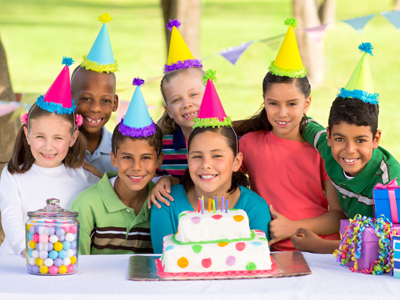
The font 'Jokerman' would be most suitable for a party invitation.
Word Processing
Word processors help you write, edit, and improve your work. In this quiz, practise using tools like copy, paste, and formatting to make writing neat and easy to read.
1 .
Which key would you press if you wanted to type only in CAPITAL letters?
Alt
Fn
Ctrl
Caps Lock
It is difficult to read text that is typed using only capital letters. If you find that capital letters are appearing when you type, then pressing the Caps Lock key will allow you to type in lower case
2 .
Which button on the toolbar would you use to italicise a word?
Bold
Italic
Underline
Highlighter
You can also italicise by highlighting the text, using right click, and then using left click to select the Italics button
3 .
If you wanted to use one capital letter (e.g. at the beginning of your name) you would press two keys at the same time: the letter you need and which other key?
Delete
End
Shift
Ctrl
The shift key is sometimes marked with an arrow pointing up, rather than with the word 'shift'. There are two shift keys so you can easily reach them with your left or right hand
4 .
What does a word processing package allow you to add and manipulate (change)?
Text, images, shapes and sound
Text, images, shapes and tables
Text, videos, sound clips and graphs
Pictures, videos and sound
You can add several different types of image, such as photos, drawings, shapes, clip art and graphs. You can also add hyperlinks to word documents
5 .
To decorate the edges of a word document, you would add which of the following?
Italics
A watermark
A page border
Highlighted text
To add a border click the 'Page Layout' tab. Then select the 'Page Borders' button. This is usually in the 'Page Background' menu on the toolbar but is sometimes found under 'Margins'
6 .
Highlighted text can be manipulated (changed) in which of the following ways?
By changing the colour
By changing the size
By changing the font
All of the above
It can also be highlighted, underlined or put into bold or italic letters
7 .
If you wish to move some text to another place in your document, what can you do?
Highlight it, right click, select 'cut', click the new position and select 'paste'
Highlight it, press 'delete', click the new position and select 'paste'
Highlight it, right click and select 'paste'
Highlight it, press backspace, click the new position and select 'paste'
If you wanted to write the same words more then once you could use 'Copy' and 'Paste' rather than 'Cut' and 'Paste'. This would leave the first set of words in your document
8 .
The font 'Jokerman' would be most suitable for which of these documents?
A report on endangered animals
A report on flood damage
Instructions for solving two-step maths problems
A party invitation
The other three documents are about serious subjects so would need a more formal font
9 .
Using 'click and drag' with a photo or picture, what can you change?
Its colour
Its size
Its transparency
Its brightness
If you click on the top or side of a picture before dragging, you will change its proportions - to keep proportions the same, click on the corner of the image before dragging
10 .
Choosing 'landscape' for your page layout will do what to it?
The page's width / breadth will be greater than its height
The page's height will be greater than its width / breadth
The page will look attractive, like a landscape
The page will have a beautiful landscape for a background
A portrait page layout will make a paper's height greater than its width



**Unlimited Quizzes Await You! 🚀**
Hey there, quiz champ! 🌟 You've already tackled today's free questions.
Ready for more?
Ready for more?
🔓 Unlock UNLIMITED Quizzes and challenge yourself every day. But that's
not all...
not all...
🔥 As a Subscriber you can join our thrilling "Daily Streak" against other
quizzers. Try to win a coveted spot on our Hall of Fame Page.
quizzers. Try to win a coveted spot on our Hall of Fame Page.
Don't miss out! Join us now and keep the fun rolling. 🎉
**Unlimited Quizzes Await You! 🚀**
Hey there, quiz champ! 🌟 You've already tackled today's free questions. Ready for more?
🔓 Unlock UNLIMITED Quizzes and challenge yourself every day. But that's not all...
🔥 As a Subscriber you can join our thrilling "Daily Streak" against other quizzers. Try to win a coveted spot on our Hall of Fame Page.
Don't miss out! Join us now and keep the fun rolling. 🎉




© Copyright 2016-2026 - Education Quizzes
Work Innovate Ltd - Design | Development |
Marketing
